Snivrak is an independent mobile app comparison platform. We may earn a commission when you click through.
Roblox Skin Apps: Which Ones Actually Help You Create
Compare 10 Roblox companion apps by platform, editor tools, ratings, and real limitations before downloading another skin maker.
Most Roblox skin apps do not give you official Robux or magically add items to your account. They help you preview outfits, build avatar concepts, or edit clothing designs. That distinction matters.
This guide separates actual customization tools from oversized promises, using the store information available for each app. Robux mentioned in third-party apps means in-app currency or rewards, not Robux issued by Roblox Corporation. Snivrak has no affiliation with Roblox Corporation, and redemptions depend on developer terms.
What to check before downloading
Start with three questions: Is the app on your platform, does it explain what happens to your designs, and does the listing promise a preview rather than official Roblox inventory access? The official Roblox download page remains the safest route for the game itself.
- Platform: the list includes iOS and Android apps, but availability is not interchangeable.
- Function: skin simulators and editors are not the same as tools that publish clothing.
- Privacy: check permissions before granting access to photos, storage, contacts, or account details.
- Store evidence: a 4.9 rating from nine ratings is not the same signal as Roblox’s 4.2 rating from 53.8 million reviews.
Seven skin and outfit tools worth sorting first
The first group is the broadest: iOS and Android apps built around avatar ideas, clothing, or skin previews. The listings do not provide enough evidence to call any of them official Roblox tools, so treat every result as a companion experience rather than an inventory shortcut.
Skin Maker for Roblox
RBLX - Skin Maker for Roblox has the clearest feature claim in this group: more than 20,000 skin combinations, plus a simulator and daily news and videos. That makes it the most useful starting point for browsing ideas, not a confirmed way to transfer outfits into Roblox. The listing calls it fan-made and free, but gives no price, permission, or redemption details. Best for iOS users who want a large inspiration library and can live with the app being a preview tool rather than an official catalog.

Clothes for Skins Maker
Clothes for Roblox Skins Maker is listed as free with in-app purchases and designed for iPad. Its title points directly at outfit creation, but the available store data does not confirm how many templates exist, whether exports work, or what the paid tier unlocks. Compared with RBLX, it offers less evidence about depth but may appeal to iPad users who want a simple design-first app. Best for iPad players experimenting with clothing concepts before spending anything.

Clothes Skin
Clothes Skin for Roblox is the Android pick with the most concrete creative description: 3D skin creation, outfits, shirts, skirts, shorts, jackets, and self-made robes. The developer explicitly says it is unofficial and not affiliated with Roblox Corporation, which is useful transparency. The listing still does not prove that its free items become usable Roblox inventory. Best for Android users who want a 3D preview and understand that discovery is different from official redemption.

Boys Skins
Boys Skins for Roblox+ + is an iPad app listed as free with in-app purchases, but the supplied store data gives almost no detail beyond its focus on game skins. That makes it harder to judge than the three editors above. The name also narrows the audience more than a general outfit builder, while the listing does not explain how many looks, categories, or export options are included. Best for iPad users who want to browse masculine avatar concepts and are willing to inspect the purchase screen carefully.
Clothes & Skin
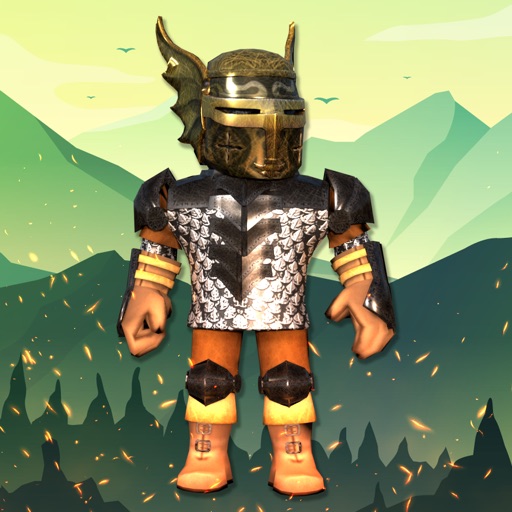
Clothes & Skin for Roblox is another Android catalog-style app, but the supplied page content provides only the title and publisher reference. That is a major information gap beside apps that explain their editor tools. Do not assume a large catalog, official items, or free redemption from the name alone. Best for Android users who want to test another outfit browser, provided they review permissions, ads, and any in-app purchase prompts before continuing.

Skinzy
Skinzy: Skin Editor for Roblox gives Android creators more actionable tools than a basic gallery: advanced cropping, real-time customization, and a full 3D preview are all stated in the listing. That makes it more editor-focused than RBLX, while RBLX wins on its stated 20,000-plus combinations and news feed. The missing details are price, permissions, and whether designs can be exported or published. Best for Android users who care about adjusting a design rather than only scrolling through outfit ideas.

Clothes Skin
The second Clothes Skin for Roblox listing is also on Android and repeats the same core promise: 3D character outfits, clothing categories, and free-item discovery. Because the title and description closely mirror the other listing, there is no strong evidence here of a meaningfully different experience. I would test only one of the two rather than install both and grant identical permissions twice. Best for Android users comparing alternative publishers, not for anyone expecting official Roblox account integration.

The pattern is already obvious: the strongest listings describe previews or editing, while the weakest provide only broad skin language. A store title is not proof of free Robux, and no item here should receive your Roblox password.
That leaves three useful reference points: the official Roblox app, the highest-rated iOS editor, and a more general Android outfit catalog. They serve different jobs, so comparing them on one scale would be misleading.
Three different reasons to install
Use this group to decide whether you need the actual game, a highly rated small-sample editor, or a broad Android browsing tool. The numbers are not directly comparable, but they reveal how much evidence each listing provides.
Roblox
Roblox is the only official app in this list, published by Roblox Corporation, with 1 billion-plus downloads and a 4.2 rating from 53.8 million reviews on Google Play. It is not a skin maker, but it is the place where legitimate Roblox account activity belongs. Compared with every unofficial companion app here, it has vastly stronger evidence of scale and identity. Best for players who need the real game and want to avoid confusing fan-made previews with official inventory.

Skinator
Skinator - Skins for Roblox is an iPad app with a 4.9 rating, but that score comes from just nine ratings. The listing describes it as a skin maker and clothes editor and marks it free with in-app purchases. I would treat the rating as an early signal, not a settled verdict; a handful of reviews can swing dramatically. Best for iPad users who want to try a focused editor and are comfortable checking the purchase terms before building a routine around it.

Clothes and Skins
Clothes and Skins for Roblox is an Android browsing app built around trending outfits, shirts, jackets, hoodies, pants, shorts, costumes, accessories, and animation ideas. That breadth makes it more useful for collecting references than for precise editing, especially beside Skinzy’s crop and 3D-preview tools. The listing does not provide a price, rating, download count, or privacy detail, so keep expectations narrow. Best for Android users who want a wide outfit mood board and do not need confirmed export or account features.

Common mistakes that waste time
- Confusing skins with Robux: a preview or reward inside a third-party app is not official Robux.
- Logging in with Roblox credentials: companion apps do not need your password to show outfit concepts. Stop if one asks for it.
- Trusting tiny ratings: Skinator’s 4.9 comes from nine ratings, while Roblox’s 4.2 comes from 53.8 million. Those signals have very different weight.
- Installing duplicate Android apps: the two Clothes Skin for Roblox listings make similar claims. Pick one, inspect permissions, and remove it if the experience is mostly ads.
- Assuming “free” means fully usable: the iOS listings explicitly mention in-app purchases. Check what remains available without paying.
- Expecting official inventory transfer: the supplied descriptions do not verify that any companion app can publish clothing to Roblox. Treat every design as a concept until Roblox itself confirms otherwise.
Quick decision framework
Need the official game? Install Roblox from Roblox Corporation.
Want a large idea library on iOS? Start with RBLX - Skin Maker for Roblox and its stated 20,000-plus combinations.
Want detailed Android editing? Try Skinzy for cropping and 3D preview.
Want iPad clothing experiments? Compare Clothes for Roblox Skins Maker with Skinator, but remember Skinator’s 4.9 rating is based on only nine ratings.
Want Android outfit browsing? Clothes and Skins for Roblox lists the widest clothing categories, while the two similarly named Clothes Skin apps provide stronger 3D-preview language.
My short verdict: use official Roblox for account activity, RBLX for broad inspiration, and Skinzy for hands-on Android editing. Skip any app that promises official Robux without explaining the developer terms. For a wider comparison of free tiers, ratings, and platform checks, read Roblox Companion Apps: Free, Rated, and Platform-Tested.


