Snivrak is an independent mobile app comparison platform. We may earn a commission when you click through.
Roblox Skin Apps Tested: Which Ones Actually Help
We compared official Roblox with eight skin and outfit apps, separating useful style tools from vague promises and missing listings.
Quick Picks
Best overall: Roblox on iOS.
Best Android starting point: Roblox on Google Play.
Best for outfit-code hunters: Outfit ID codes for Roblox.
One result changed the ranking immediately: the official Roblox app is the only listing here clearly published by Roblox Corporation. The third-party apps focus on inspiration, skin makers, or outfit codes; they do not issue official Robux. Snivrak has no affiliation with Roblox Corporation. In third-party apps, “Robux” means in-app currency or rewards, not Robux issued by Roblox Corporation. Redemptions and item use depend on developer terms.
Start With the Official App
The official listing wins before the third-party tools even enter the comparison. It is available on iOS and Android, supports millions of games, and carries a clear developer identity. That matters because a skin gallery can inspire an outfit, but only Roblox is the actual platform for playing and managing your Roblox experience.
Roblox
The iOS listing gives this app the strongest trust signal in the group: Roblox Corporation is named as the developer, the app is free with in-app purchases, and it has 4.3 stars from 100,000 ratings. The 13+ age rating and in-app controls are useful details for families. I would pick this over every unofficial skin app for actual play, account activity, and purchases. The limitation is obvious: it is not a free-Robux generator, and the listing does not promise one. Best for iPhone and iPad players who want the real Roblox platform rather than an outfit gallery.

Roblox
The Android version is the practical counterpart, with a 4.2-star score from 53.7 million reviews and Roblox Corporation shown as the developer. That review volume is far beyond anything else in this set, although a large rating count does not guarantee a perfect experience on every device. The listing confirms in-app purchases, so free installation should not be confused with free access to every item or feature. Compared with the iOS listing, this is the better reference point for Android players because the developer identity is clear and the app is official. Best for Android users who need the authentic game, account tools, and in-game avatar access.

The two official listings are the safest baseline, but they are not outfit browsers in the narrow sense. Their advantage is legitimacy. The next group is more visual and more speculative: useful for ideas, less useful for proving that an item will appear in your account.
Android Skin and Outfit Galleries
Four Android listings use nearly identical language: clothes, jackets, shorts, accessories, self-made outfits, and free-item discovery. That repetition is the first warning sign. Similar descriptions do not prove identical apps, but they do mean you should judge the download by its actual permissions, ads, update history, and Google Play reviews rather than by the word “free.”
Clothes and Skins
This listing has the clearest browsing pitch among the Android skin apps: trending skins, shirts, jackets, hoodies, pants, shorts, full costumes, accessories, and animation ideas. That makes it more useful as an avatar-style catalogue than as a Robux tool. The page content does not provide a price, rating, download count, app size, permissions, or redemption process, so the most important practical questions remain unanswered. Compared with the official Roblox app, it is inspiration only until the developer explains how any item moves into the game. Best for Android players collecting outfit references who are comfortable checking permissions before installing.

Clothes Skin
The 3D skin-creation angle gives this app a clearer purpose than a generic gallery. Its description mentions shirts, skirts, shorts, jackets, and self-made robes, then explicitly says it is unofficial and not affiliated with Roblox Corporation. That disclaimer is a positive transparency signal, but it is not proof that every advertised item is usable in Roblox. No price, rating, download total, app size, permissions, or export workflow is supplied in the listing data. Best for Android players who want to experiment with character concepts rather than expect automatic avatar inventory updates.

Clothes & Skin
The only hard performance signal here is 500K+ downloads, with PGs Aapps named as the developer. That is enough to show that the app has reached a sizable audience, but it tells you nothing about current quality, ad load, permissions, or whether its clothes are usable in Roblox. The page content does not list features beyond the title-level skin and clothing focus. I would rank it below the two apps with fuller descriptions because download volume is not a substitute for clear functionality. Best for Android users willing to browse a popular catalogue while treating every “free” claim cautiously.

Clothes Skin
This app describes itself as a skin-clothes maker with shirts, skirts, shorts, jackets, and self-created robes, then includes an explicit unofficial-app disclaimer. The feature list overlaps heavily with Clothes Skin for Roblox and Roblox Skin & Clothes, so it does not establish a distinctive advantage from the available data. There is no stated price, rating, download count, permission list, or explanation of how designs reach a Roblox account. That missing detail is the reason it lands last in this Android cluster. Best for players who only need outfit concepts and will uninstall if the app asks for unnecessary account credentials.

The Android cluster is useful for visual discovery, but the evidence is thin. The repeated unofficial disclaimers are good transparency; the missing technical details are not. Never enter a Roblox password into a companion app, and do not assume a skin preview equals an item added to your Roblox inventory.
That leaves the iOS tools, which take a narrower route: one focuses on boys’ skins, while the other is built around outfit IDs. Neither replaces Roblox, but the code-focused listing makes a more concrete promise than the generic skin galleries.
iPhone Outfit Tools and Code Browsers
The iOS listings are free to download with in-app purchases, so the free tier needs scrutiny. A code catalogue can save time only when its codes are current and entered through the proper Roblox experience. A skin gallery can look polished while offering no export path at all.
Outfit ID Codes
This is the most specific third-party concept in the roundup. The listing says it collects clothing, hairstyles, T-shirts, accessories, and faces, with codes entered in-game. That workflow is more actionable than simply scrolling through outfit images, but the description does not confirm that every code remains active or that every item is free. It also gives no rating, price details beyond the store’s free-with-purchases label, app size, or permissions in the supplied data. Best for iPhone users who already know how to enter outfit IDs and want a catalogue to browse before testing codes in Roblox.

Boys Skins
The title promises boys’ skins and the App Store listing confirms free installation with in-app purchases, iPad support, and a 4+ age rating. That is a narrower audience than the general outfit and code apps, and the supplied page content does not show a rating, review count, app size, permissions, or a clear method for transferring designs into Roblox. Compared with Outfit ID codes for Roblox, this listing is less concrete: it suggests skins but does not explain a code or export system. Best for younger iPad users browsing masculine avatar ideas, provided a parent checks purchases and privacy settings first.
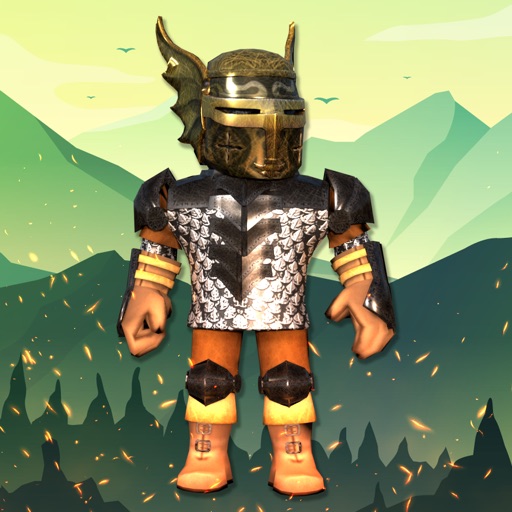
Outfit ID codes for Roblox earns the stronger position because its advertised workflow can be tested inside Roblox. Boys Skins for Roblox+ + is more limited and less transparent in the supplied listing. Both remain unofficial companion tools, and neither should receive Roblox login details.
One Listing That Should Not Make the Cut
RBX Wear - Style & Skins cannot be evaluated as a live option from the supplied source: its Google Play URL returns a server error and the page is unavailable. That is not evidence of a scam, but it is enough to remove it from a recommendation list. A missing listing means no verified feature set, no current rating, no permission review, and no reliable way to check whether the app is still maintained.
That gap matters more in this category because unofficial apps often use official-sounding language. The available descriptions repeatedly say “for Roblox,” but only the two Roblox listings identify Roblox Corporation as the developer. Treat every other app as an independent companion tool, not as an official Roblox service.
Who Should Pick What?
Pick Roblox on iOS if you use an iPhone or iPad and want the official platform, account access, and the clearest developer identity. Its 4.3-star score from 100,000 ratings is strong, though in-app purchases still apply.
Pick Roblox on Android if you play on Android. The 4.2-star score from 53.7 million reviews gives it the strongest public usage signal in this group, and Roblox Corporation is listed as the developer.
Pick Outfit ID codes for Roblox if you use iOS and want a specific code-browsing workflow. Test codes in Roblox; do not assume every listed item is active or free.
Try the Android skin makers only for outfit inspiration or character concepts. Clothes and Skins for Roblox has the broadest stated catalogue, while Clothes Skin for Roblox describes 3D creation. The other two Android listings provide less evidence and should be judged by permissions and current store reviews.
My honest favorite is the official Roblox app, not because it promises free rewards, but because it is the only option here that clearly is Roblox. For style hunting, Outfit ID codes for Roblox is the most useful companion. No third-party app in this roundup should be treated as a source of official Robux, free account currency, or guaranteed inventory items.
Transparency note: Snivrak has no affiliation with Roblox Corporation. “Robux” mentioned in third-party apps refers to in-app currency or rewards, not Robux issued by Roblox Corporation. Redemptions depend on developer terms.


