Snivrak is an independent mobile app comparison platform. We may earn a commission when you click through.
Roblox Skin Apps Tested: Editors, Simulators, and Real Limits
We compared 10 Roblox companion apps across skin editing, outfit browsing, platform support, and one important question: do they add items?
Skinzy: Skin Editor for Roblox takes the top spot because it describes a real editing workflow instead of promising free Robux. Its advanced crop tool and full 3D preview give you something concrete to use: a way to test a design before committing to an avatar look.
I evaluated the available store descriptions for all 10 listings. The biggest surprise was how repetitive the category is. Most apps promise huge outfit libraries, trending styles, or free skins, but only a few explain what you can actually do inside the app. None of the third-party listings shown here proves that it grants Robux or transfers official Roblox items.
Important: “Robux” in third-party apps refers to in-app currency or rewards, not Robux issued by Roblox Corporation. Snivrak has no affiliation with Roblox Corporation. Redemptions depend on developer terms. Roblox itself is the official game and account platform.
Quick Picks
Best overall editor: Skinzy: Skin Editor for Roblox.
Best for outfit browsing: Clothes and Skins for Roblox.
Best for the official Roblox experience: Roblox.
Best iOS alternative: Skinator - Skins for Roblox.
Editors That Give You Something to Make
The strongest apps in this group focus on creation rather than vague reward claims. That matters: a skin preview or outfit editor can be useful without asking for account credentials or implying that unofficial software can issue official Robux.
Skinzy
Skinzy is the clearest first pick because its description names specific tools: advanced cropping, design adjustment, and a full 3D preview. Compared with the outfit-library apps below, it gives you an actual creation workflow instead of only a catalogue. The limitation is just as clear: the listing does not state that designs can be uploaded directly to Roblox, so treat it as a planning and preview tool. Best for players who want to build a custom look and inspect it in 3D before recreating it in Roblox.

Clothes Skin
This app is less ambitious than Skinzy, but its feature list is easier to understand: T-shirts, shirts, and pants with textures and stickers, plus a clean layout that separates each outfit part. That makes it more approachable for a first attempt at clothing design. The trade-off is a narrower toolkit and no stated 3D preview in the supplied description. Best for beginners who want simple outfit editing without a crowded feature list.

Roblox Skin & Clothes
Roblox Skin & Clothes leans into self-made outfits, including shirts, skirts, shorts, jackets, and other clothing pieces. Its description explicitly calls the app unofficial and says it is not affiliated with Roblox Corporation, which is useful transparency that several lookalike listings do not provide. It still does not establish that free items or Robux are official, and the supplied data does not include permissions, price, or export details. Best for players who want a broader clothing canvas and understand the difference between an unofficial companion app and Roblox itself.

Clothes Skin
Clothes Skin for Roblox also focuses on 3D character styling and says it helps users create unusual outfits from clothing pieces such as shirts, skirts, shorts, and jackets. It repeats the important unofficial-app disclaimer, but the description is less specific than Skinzy about editing controls or preview mechanics. I would place it behind the simpler editor above because the listing gives fewer details about what happens after you finish a design. Best for players browsing 3D outfit ideas who do not need a documented export path.

Roblox Clothes & Skins Tool
Roblox Clothes & Skins Tool is built around discovery: curated outfits, accessories, aesthetic styles, streetwear, and legendary skins. That makes it more of a visual catalogue than a serious editor. Compared with Skinzy, it explains the breadth of its library but not the mechanics of creating or transferring anything. Best for players who want quick outfit inspiration and are happy to recreate the look manually in Roblox.

That first group reveals the category’s main split. Skinzy and the simpler clothing editor describe actions you can perform; the broader tools mostly describe styles you can browse. A large library sounds useful, but the practical question is whether you can turn inspiration into a usable Roblox outfit.
Style Libraries, Simulators, and the Official App
The remaining picks compete on volume, combinations, and platform access. They are better for collecting ideas than for proving that an item will appear in your Roblox inventory.
Skin Maker for Roblox
RBLX - Skin Maker for Roblox claims more than 20,000 skin combinations and adds a skin simulator plus daily news and videos. That is a much larger discovery pitch than the focused editors above, but the number of combinations does not tell you how many are genuinely useful or how much advertising sits between them. It is also listed on iOS, giving Apple users a clearer alternative to the Android-heavy group. Best for iOS players who want a large simulator catalogue and Roblox-related content in one app.

Skinator
Skinator is the most clearly documented iOS listing here: it is free with in-app purchases, designed for iPad, rated 4.5 from 2 ratings, and marked 4+. The rating looks high, but two ratings are far too small a sample to treat as proof of quality. Compared with RBLX, it offers less evidence of scale but a cleaner store-page snapshot. Best for iPad users who want a free starting point and are comfortable treating the rating as preliminary.
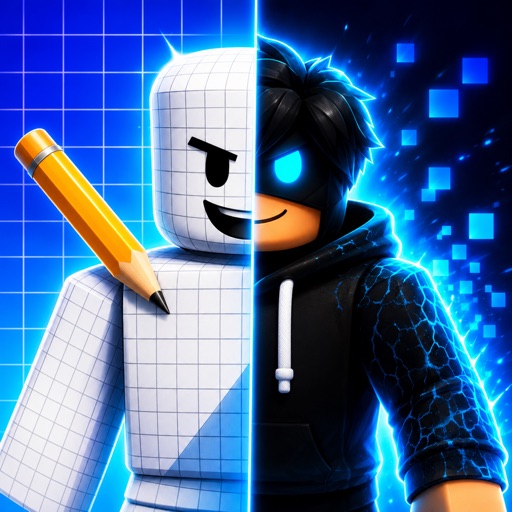
Roblox
Roblox is the only official platform in this roundup, and the supplied Google Play listing shows a 4.2 rating from 53.7 million reviews with in-app purchases. That review volume dwarfs every third-party listing here, so it is the app to use for actual gameplay, account access, and official item systems. It will not replace a dedicated skin editor, but no unofficial companion app should be treated as an equivalent. Best for every player who needs the real Roblox account and game experience.

Clothes and Skins
Clothes and Skins for Roblox pushes the broadest style menu in the supplied descriptions: aesthetic outfits, streetwear, hoodies, accessories, 3D bundle animations, and character skins. It is more useful as a mood board than as a verified item-delivery tool, and the listing does not provide a price, rating, permissions list, or export instructions. Compared with Roblox itself, it cannot establish official ownership of anything you preview. Best for outfit hunters who want trend ideas before building a look inside the official app.

RBX Wear
RBX Wear - Style & Skins is the weakest listing in the set because its supplied store URL returns a not-found page. That means there is no verified description, price, rating, platform detail, or current feature list to evaluate. I would not install or recommend it based on the name alone, especially when other apps at least disclose their editing or browsing purpose. Best for nobody until a working official store listing provides current information.

The platform gap is decisive. Third-party apps can help you sketch, preview, or collect style ideas, but Roblox is the only listing here with a documented official publisher and a review base large enough to mean something. A companion app should complement Roblox, not ask you to replace it or hand over account details.
Who Should Pick What?
Choose Skinzy if you want the clearest editing tools, especially cropping and a 3D preview, and you are comfortable recreating the final look in Roblox.
Choose Clothes and Skins for Roblox if your main activity is browsing outfit themes, hoodies, accessories, and character styles rather than editing every detail.
Choose RBLX - Skin Maker if you use iOS and want a large simulator catalogue, but remember that its “20k combinations” claim describes combinations inside the app, not official Roblox inventory items.
Choose the official Roblox app for gameplay, account features, and legitimate item ownership. It is less specialized, but it is the only option here that is actually Roblox.
My honest favorite is Skinzy. It makes the most defensible promise and backs it with named tools. The rest are useful as inspiration or lightweight simulators, but none of the supplied listings proves free Robux, official item transfers, or guaranteed redemptions. Keep your Roblox password out of unofficial apps, check permissions before installing, and treat every “free Robux” claim as unverified unless it comes directly from Roblox.
For official information, compare any third-party claim against the official Roblox website and the Roblox Support center. Snivrak has no affiliation with Roblox Corporation, and redemption terms remain controlled by each developer.