Snivrak is an independent mobile app comparison platform. We may earn a commission when you click through.
Roblox Skin Apps for Players Who Want Better Avatars
We compared 10 Roblox companion apps across iOS and Android, separating avatar editors from apps that only promise in-app rewards.
If you care about avatar styling more than vague reward promises, this guide is for you. The useful apps here let you preview outfits, edit skins, or browse clothing ideas; they do not magically add official Robux to your account. Generic top-10 lists blur those differences, mix iPad-only tools with Android apps, and treat a single five-star rating as proof. That is not enough.
One fact changes the ranking: the official Roblox app has 1B+ downloads and 53.8 million reviews, while several companion apps have only one or two ratings. Use third-party apps as design tools, not as account-access shortcuts. Robux mentioned in third-party apps means in-app currency or rewards, not Robux issued by Roblox Corporation. Snivrak has no affiliation with Roblox Corporation, and redemptions depend on developer terms.
Start With the Official App
The official app is not a skin editor, but it is the only item here that is actually Roblox. That distinction matters for account safety, purchases, and access to your real inventory.
Roblox
Roblox is the baseline every companion app should be measured against: 4.2/5 from 53.8 million reviews and more than 1 billion downloads. It is available through Google Play in the supplied listing and is developed by Roblox Corporation. I would install this first, then use a separate editor only for outfit ideas. The downside is obvious: it does not promise free Robux, and no third-party skin app can replace the official inventory system. Best for players who need the legitimate Roblox account, games, and avatar controls before experimenting with companion tools.

The official listing gives this app a level of scale the others cannot match. That does not make every companion tool unsafe, but it does make the install source and login boundary easy to judge: keep account credentials inside the official Roblox app, not inside an avatar editor.
AI and 3D Styling Tools
These apps focus on visual experimentation. They are more interesting for skin collectors than reward hunters, but their store data is much thinner, so confidence should match the evidence.
AI Skin Maker for Roblox
AI Skin Maker for Roblox has the clearest positioning in this group: outfit and avatar creation with a free download and in-app purchases. The App Store listing shows a 4.3 rating from 36 ratings and marks it as designed for iPad, with no macOS verification. That rating is encouraging but statistically tiny beside Roblox's 53.8 million reviews. The name also needs careful reading: “Earn Robux” appears in the listing, but the supplied data does not prove official Robux payouts. Best for iPad users who want to generate or test avatar concepts and can ignore reward language unless the developer explains the terms.

3D Skins Maker for Roblox
3D Skins Maker for Roblox is the more direct choice for players who want a large outfit catalogue and a three-dimensional preview. Its description mentions boys' and girls' outfits, superhero and anime-inspired looks, and avatar customization. The listing does not provide a rating, price, permissions, or redemption proof, so the catalogue claim is easier to assess than the reward claim. Compared with AI Skin Maker, it is less transparent on user feedback but more explicit about browsing and trying visual styles. Best for Android players who want outfit inspiration without assuming that “free” means official Robux.

Skinzy
Skinzy: Skin Editor for Roblox gives Android users practical editing tools: crop controls, real-time customization, and a full 3D preview. That is a more concrete feature set than a generic promise of unlimited skins. The supplied listing does not show a rating, price, permissions, or install count, so this is a tool to test cautiously rather than trust immediately. I would pick Skinzy over a vague reward app for a player who already has a design idea and wants to see it on an avatar before doing anything else. Best for Android creators who care about editing and previewing rather than payout claims.

AI Skin Maker has the strongest rating, but only 36 people have rated it. Skinzy gives the most specific editing controls, while 3D Skins Maker leans toward browsing. None of the three supplied listings proves that an app can transfer official Robux, so treat “earn” as marketing until the developer provides clear redemption rules.
That distinction leads to the next group: simpler clothing and skin libraries. They may be useful for quick inspiration, but their tiny review counts make privacy, subscriptions, and export claims worth checking before installation.
Clothing Libraries and Skin Simulators
These picks are better for browsing than for building a serious design workflow. Their store pages repeatedly say free download with in-app purchases, which means the install costs nothing but some features may not.
Skin Maker for Roblox
RBLX - Skin Maker for Roblox claims more than 20,000 skin combinations, a free skin simulator, daily news, and videos. Those are useful discovery features on paper, but the listing uses fan-made language and does not provide a rating, price, permission list, or proof that designs publish directly to Roblox. Compared with Skinzy, it sounds broader but less technically specific. Best for casual fans who want a large idea bank and news-style content, not players expecting a verified route to free Robux or direct inventory changes.

Boys Skins
Boys Skins for Roblox+ + is free with in-app purchases and shows a 5.0 rating, but that score comes from just one rating. That is not enough evidence to call it reliable, especially when the listing only identifies it as an iPad app and gives no meaningful feature detail beyond skins. It may suit a young player who wants a narrow outfit theme, but the tiny sample makes the rating nearly useless for comparison. Best for iPad users browsing a specific style who are willing to inspect purchase prompts before continuing.
Clothes Skins
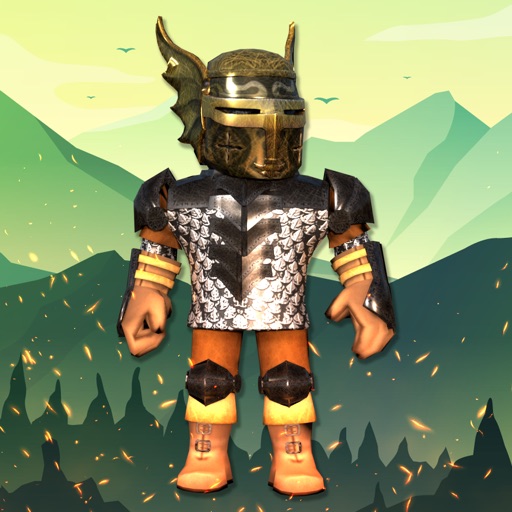
Clothes Skins for Roblox covers boy and girl clothing, including pants and shirts, and is listed as free with in-app purchases. Its 5.0 rating comes from two ratings, so it has even less evidence than Boys Skins for Roblox+ +. The useful angle is the clothing focus; the weak point is the lack of detail about editing, exporting, permissions, and subscriptions. I would place it below RBLX Skin Maker for anyone who wants depth, but above a reward app that asks for account credentials. Best for quick outfit browsing on iPad, not for confirmed item transfers.

The pattern is hard to miss: the highest ratings in this group come from one or two people. That is not a reason to dismiss the apps, but it is a reason to avoid treating the stars as a safety certificate. A small clothing library can be harmless fun; an app asking for Roblox login details is a different matter entirely.
Newer Clothing Editors Need Extra Caution
The final cluster includes newer-looking listings and apps with incomplete store information. They may be useful, but the missing data is part of the review, not a detail to ignore.
Clothes Skin
Clothes Skin For Roblox focuses on editing and customizing avatars and is listed as free with in-app purchases. Its App Store page shows a 4+ age rating and places it in Productivity, an unusual category for a Roblox styling tool. The supplied listing does not show ratings, app size, permissions, or a clear publishing workflow. That makes it less proven than AI Skin Maker, although the editing angle is more relevant than a generic “free Robux” promise. Best for iPad users testing clothing concepts who will review permissions and payment screens first.

RBX Wear
RBX Wear - Style & Skins is the weakest listing in the set because the supplied Google Play URL returns “requested URL was not found.” That could mean the app was removed, renamed, or the link is broken; the available evidence cannot tell us which. Do not sideload an APK to replace a missing store listing, and do not enter Roblox credentials into a substitute download page. Best for nobody until a working official store listing, current developer identity, and clear privacy details appear.

Clothes and Skins for Roblox
Clothes and Skins For Roblox promises avatar customization, outfit discovery, and daily activities, but the supplied description provides no rating, price, permissions, or redemption terms. Its Google Play URL suggests Android availability, yet that alone says nothing about quality or account safety. Compared with Skinzy, the feature language is broader and less testable. Best for Android players who want to browse designs and are comfortable uninstalling quickly if the app pushes aggressive ads, unclear purchases, or a Roblox login request.

What to Avoid Before You Install
- Official Robux claims: Third-party “Robux” usually means in-app currency or rewards. It is not Robux issued by Roblox Corporation.
- Login requests: A skin editor does not need your Roblox password. Close it if it asks.
- Broken store links: RBX Wear's supplied Google Play page is unavailable. Do not replace it with an unofficial download.
- Tiny rating samples: A 5.0 score from one or two ratings is not meaningful proof of quality.
- Hidden purchases: Free to install can still mean paid features. Check the App Store or Google Play purchase panel before tapping through.
- Unclear exports: A preview or simulator is not the same as publishing an item to your Roblox inventory.
Quick Comparison
| App | Platform evidence | Useful for | Confidence |
|---|---|---|---|
| Roblox | Google Play, 1B+ downloads | Official games and account features | Highest |
| AI Skin Maker | iPad, 4.3 from 36 ratings | AI-style avatar concepts | Moderate |
| 3D Skins Maker | Google Play listing | 3D outfit browsing | Limited |
| Skinzy | Google Play listing | Editing and 3D preview | Limited |
| RBLX Skin Maker | iPad listing | Large skin idea bank | Limited |
| Boys Skins | iPad, 5.0 from 1 rating | Narrow outfit browsing | Very limited |
| Clothes Skins | iPad, 5.0 from 2 ratings | Shirt and pants ideas | Very limited |
| Clothes Skin | iPad listing | Avatar customization | Limited |
| RBX Wear | Broken Google Play URL | None until verified | Lowest |
| Clothes and Skins | Google Play listing | Android outfit browsing | Limited |
My verdict: Install Roblox from the official store first. For avatar experimentation, Skinzy is the most concrete Android tool because it lists crop and 3D preview features, while AI Skin Maker has the strongest supplied rating on iPad at 4.3 from 36 ratings. RBLX Skin Maker is useful for browsing ideas, but its “20k combinations” claim is not the same as verified item access.
Skip RBX Wear until its store listing works again. Treat every “earn Robux” phrase as a claim requiring developer terms, never as proof of official rewards. Snivrak has no affiliation with Roblox Corporation, and redemptions depend on developer terms.
For a wider test of tools beyond avatar editors, see Gaming Companion Apps Tested: Boosters, Tools, and Rewards, which compares the broader companion-app category.


